
Outbound operations have evolved beyond cold lists and spray-and-pray emails. For scaling B2B companies relying on tools like Clay, HubSpot, or Smartlead, the health of your CRM and lead workflows determines how fast and accurately your team can move. But stitching together enrichment waterfalls, deduplication, routing logic and observability is no easy feat. That's where a Clay workflow specialist steps in.
This article breaks down exactly what a Clay workflow expert does, why their work drives revenue velocity, and how their role fits alongside RevOps, data engineers, and founders managing outbound growth. By the end, you'll know whether to hire one or build internally using this Clay workflow how-to guide.
Why Clay Workflow Specialists Matter for CRM Health
As outbound tools grow more powerful, lead velocity isn't just about how fast your SDRs send emails. It's about how clean, verified, enriched and accurately routed your data is before a touchpoint ever happens.
Most companies aim for what's called an Evergreen CRM: a lead system where duplicates are rare, contacts are constantly enriched, and workflows run with minimal manual intervention. But getting there takes more than templates and triggers.
That's where a Clay workflow expert adds value. They design, maintain, and monitor the automations that fuel your outbound engine ensuring your team always works with the best possible data.
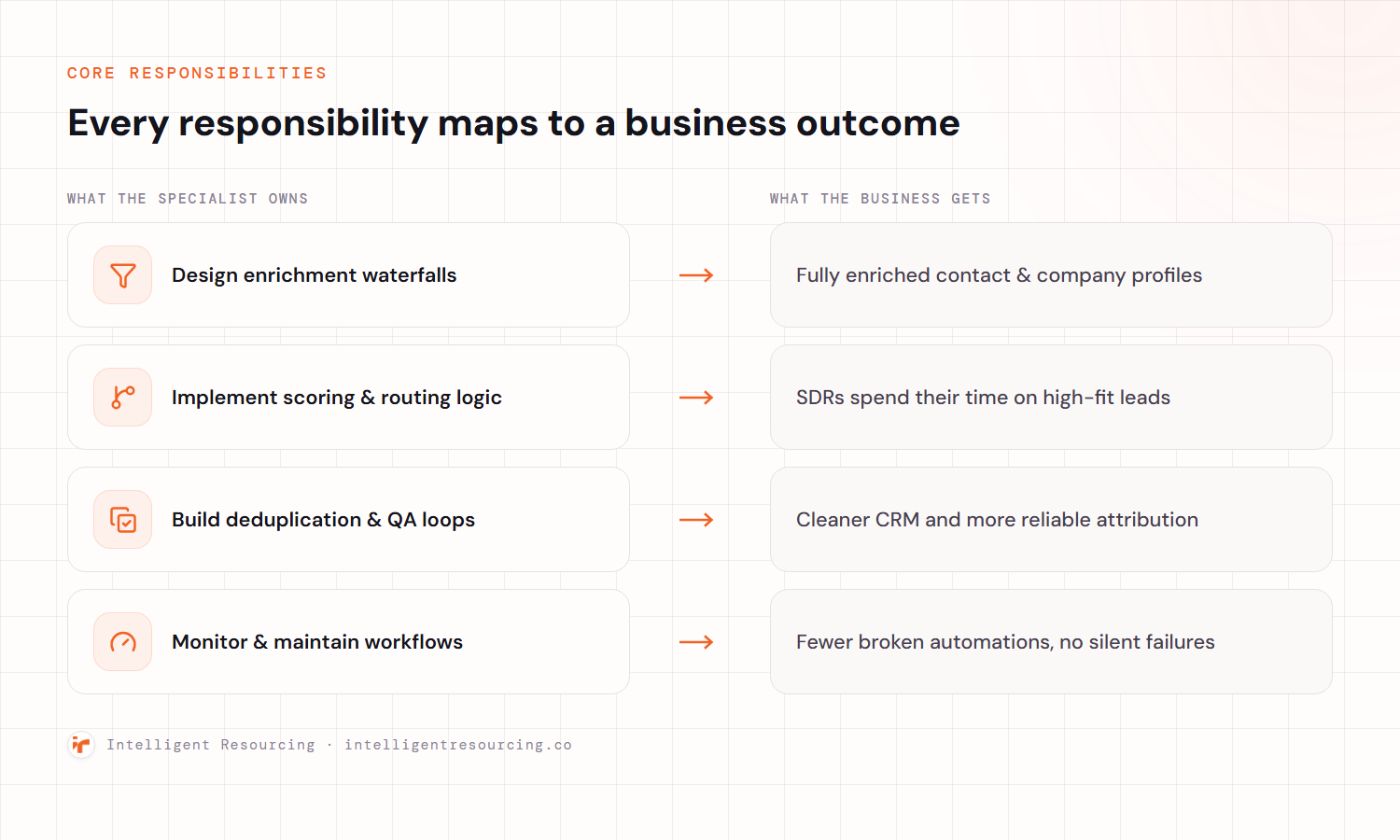
| Responsibility | Business Outcome |
|---|---|
| Design enrichment waterfalls | Fully enriched profiles within seconds, improving lead quality |
| Implement scoring & routing logic | SDRs focus only on high-fit leads, boosting conversion |
| Build deduplication & QA loops | Cleaner CRM, reduced confusion, better attribution |
| Monitor and maintain workflows | Fewer broken automations and faster issue resolution |
| Align with GTM systems | Data flows correctly between Clay, your CRM, and sequencers |
Clay specialists are not just automators—they're outbound architects who build systems that scale.
Core Responsibilities and Mapped Business Outcomes
By translating messy inbound data into structured, high-fit outbound records, Clay workflow specialists directly impact performance metrics like lead-to-opportunity time and bounce rate.
Where Clay Fits in the RevOps Toolchain
Clay sits at the intersection of data sourcing, enrichment, and routing. It's not just a tool it's the decision layer that feeds your CRM and outbound engines.
Clay as the Data & Decision Layer
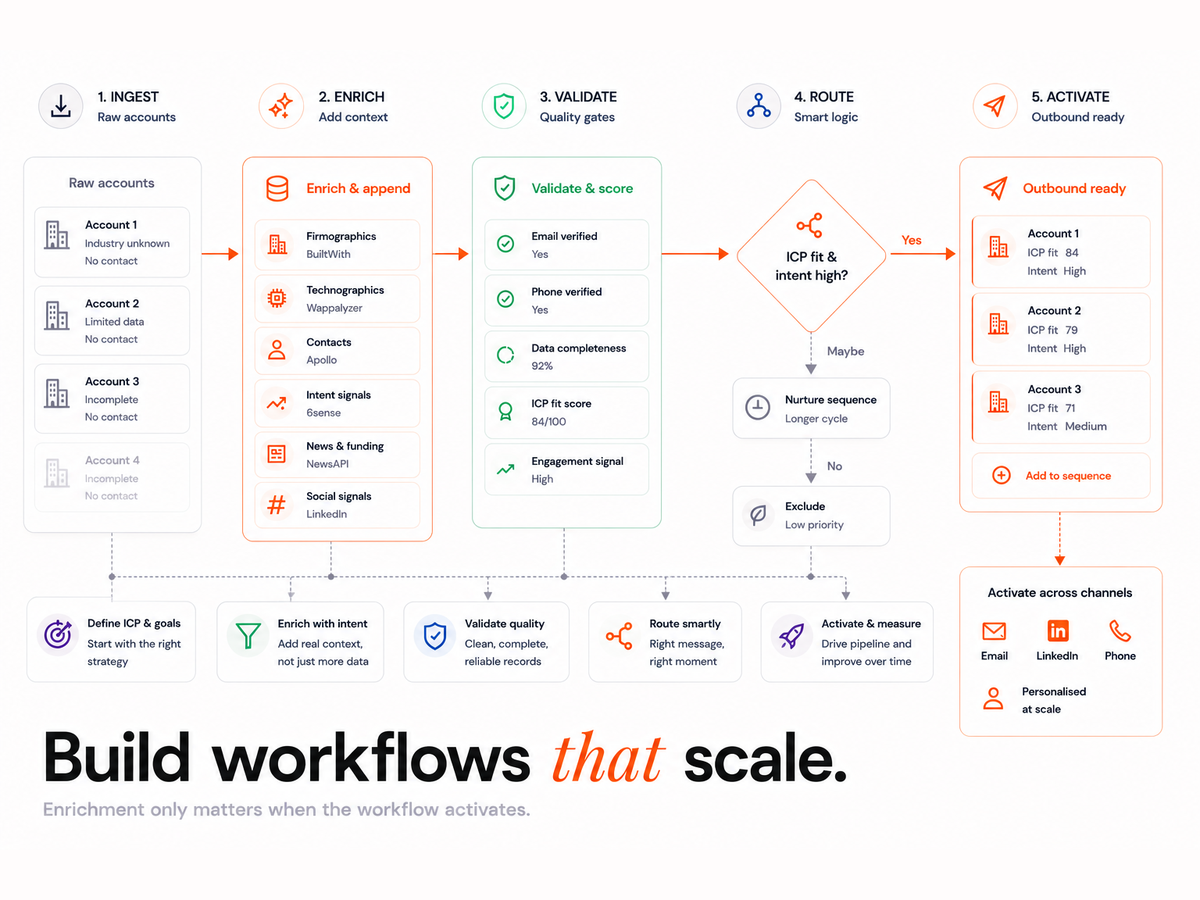
Think of Clay as the dynamic brain sitting upstream of your CRM. It pulls in lead data from multiple sources (e.g. LinkedIn, Apollo, Clearbit), verifies and enriches it in real time, then applies logic to score or discard leads.
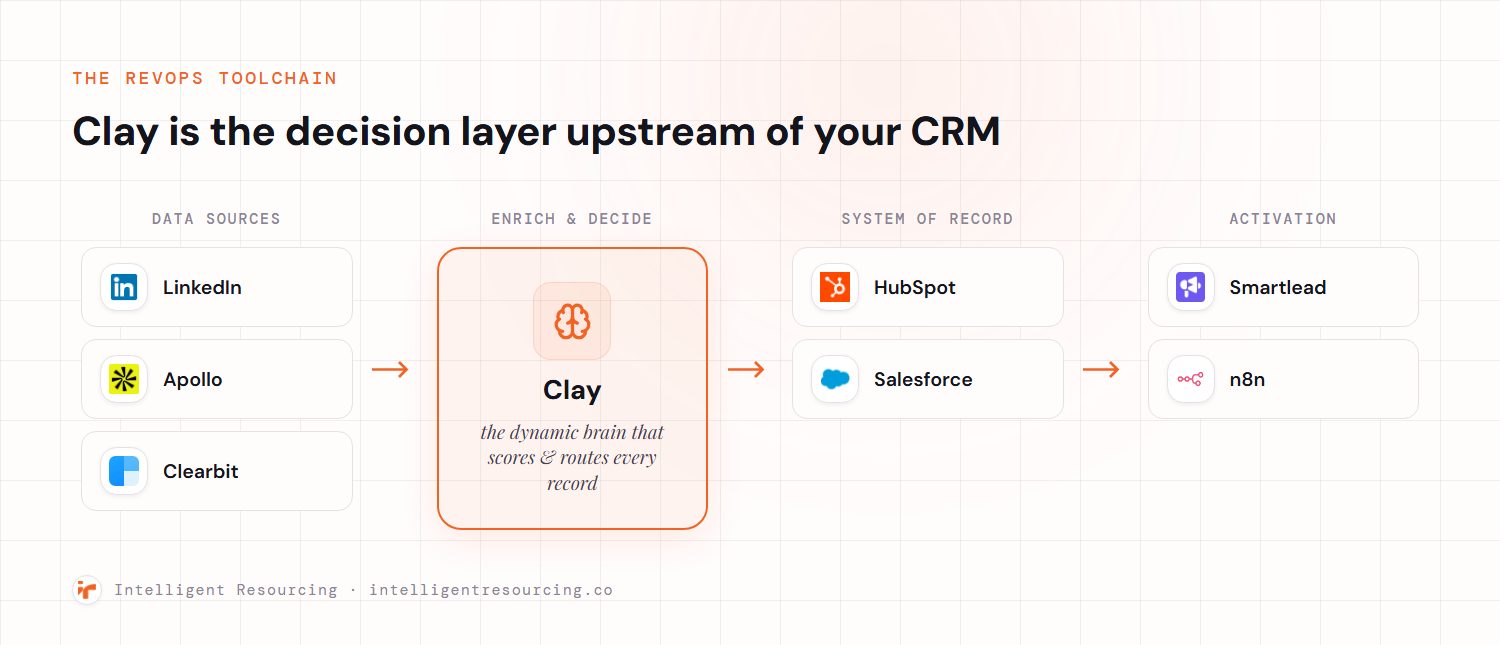
This helps avoid downstream issues like junk records clogging HubSpot or misrouted accounts in Salesforce. Read more in this guide to clay workflow automation.
Integration Points: CRMs, Sequencers, and Automation Layers
Clay doesn't operate in a vacuum. Specialists typically manage integrations with:
Each integration point requires observability and failover planning. Clay specialists ensure that handoffs between tools are seamless—so leads aren't lost between systems.
A Day in the Life of a Clay Workflow Expert
A Clay specialist's workflow blends systems thinking with ops precision.
Daily Cadence: Logs, Iteration, QA
Each day typically starts by checking Clay's run logs and workflow outcomes. Did a waterfall return incomplete data? Is a webhook failing? They triage issues before they snowball.
Then comes QA sampling leads, verifying output fields, deduplication, and checking routing accuracy. Specialists often run small iterations to test new logic or tooling.
Weekly Ops: Sample Checks, Updates, Documentation
On a weekly basis, Clay experts:
- Update enrichment inputs (new sources, changed logic)
- Adjust scoring thresholds
- Run lead sampling audits
- Update documentation and handover playbooks
This tight cadence ensures your workflows evolve with your GTM strategy not fall behind.
Clay Automation Expert vs Data Engineer vs RevOps Generalist
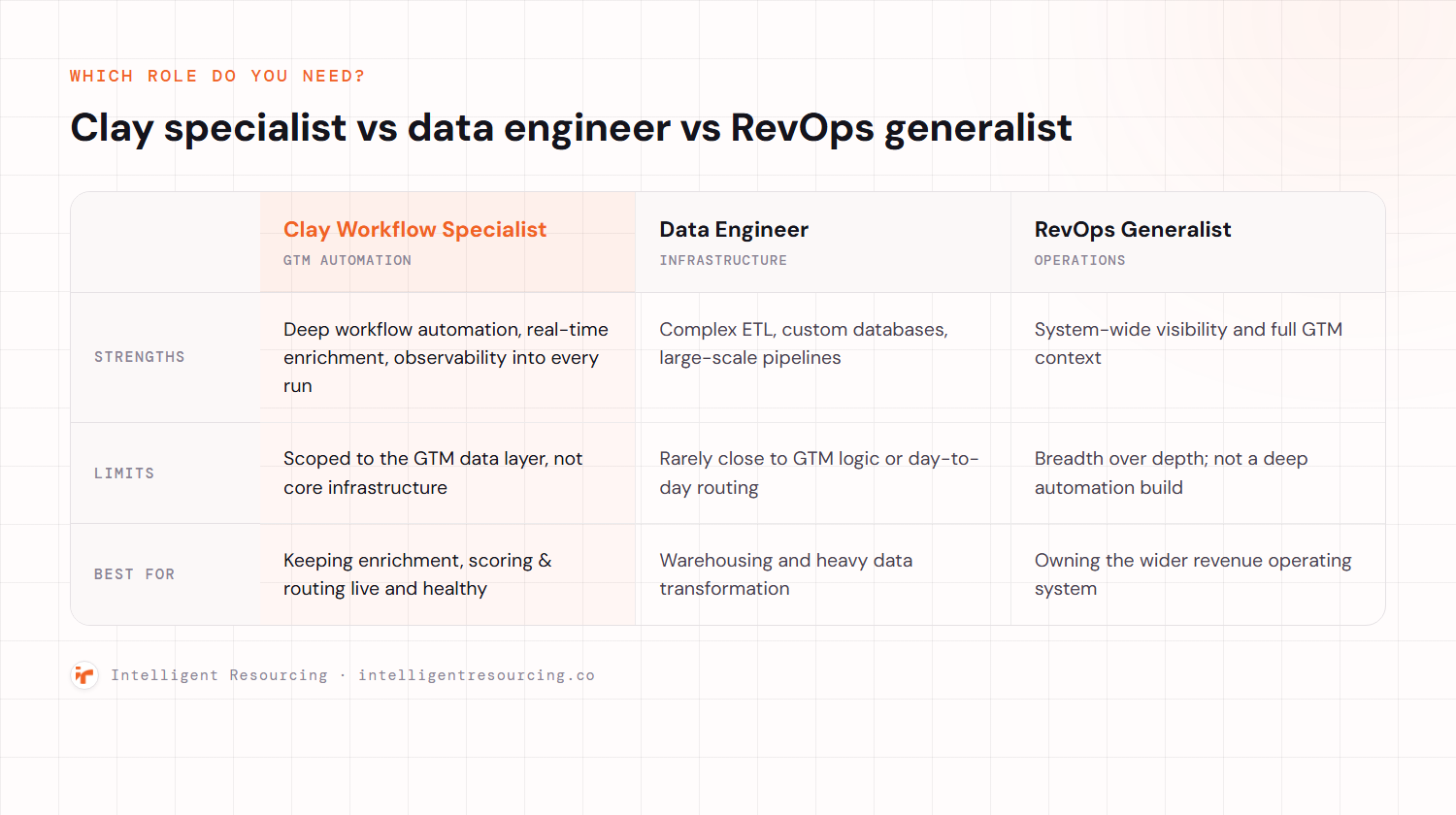
| Role | Strengths | Weaknesses | Best For |
|---|---|---|---|
| Clay Specialist | Deep automation, real-time data, observability | Needs RevOps alignment | Scaling outbound teams |
| Data Engineer | Complex ETL, custom databases | Lacks GTM context | Internal data platforms |
| RevOps Generalist | System visibility, GTM context | Limited automation skill | Early-stage setup |
Who should own workflow logic? It depends on your stage and tooling.
Role Comparison: Who Should Own Workflow Logic?
If workflows break or enrichment is incomplete, Clay specialists are faster to diagnose and solve compared to generalists juggling CRM and sequencer tasks. Learn more from this clay workflow expert breakdown.
What Deliverables Should You Expect?
Hiring a Clay automation expert means you should expect more than working workflows.
Workflows, Waterfall Configs, Scoring Logic
Every output should be packaged:
- Waterfall logic mapped from source to field
- Scoring tied to ICP criteria
- Deduplication methods (email, domain, LinkedIn ID)
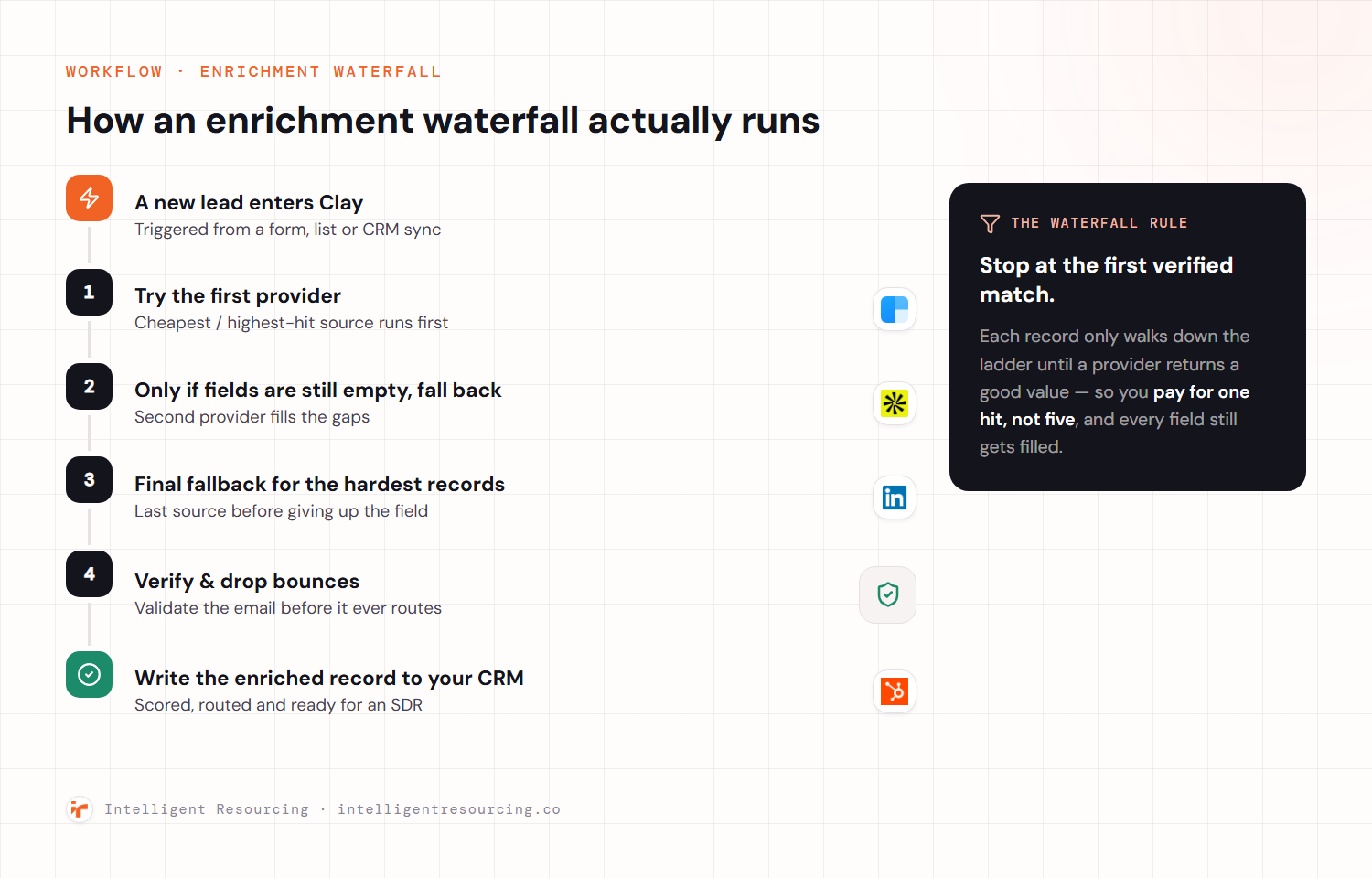
Observability: Dashboards, Logs, Alerts
Without observability, automation breaks silently. Specialists often set up:
- Daily run logs
- Slack or email alerts for failures
- Custom dashboards (e.g. workflow run volume, error rates)
Documentation & Handover: Runbooks, Permissions, Backlogs
You're not just buying workflows, you're buying maintainability. Expect:
- Runbooks for every logic branch
- Permissions schema across tools
- Issue backlog with prioritisation
Metrics That Matter (And How to Validate Them)
Don't just look at workflow volume, track impact.
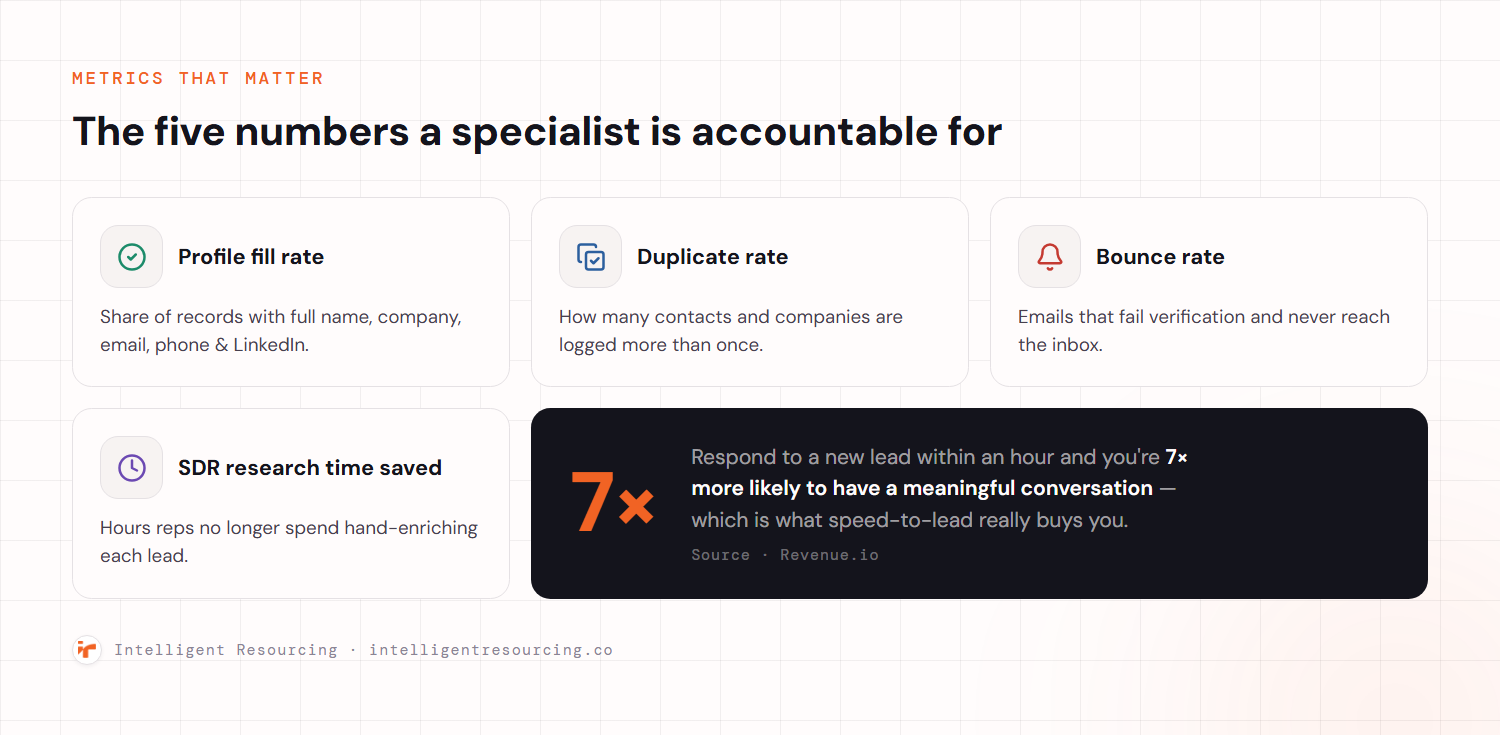
Common success metrics include:
- Profile fill rate: % of leads with full name, company, email, phone, LinkedIn
- Duplicate rate: Leads caught and resolved before CRM sync
- Bounce rate: Lower due to improved enrichment
- SDR research time saved: Minutes saved per lead
- Speed-to-lead: Time from discovery to sequencer enrolment
Sampling Methodology for Tracking Accuracy
Clay specialists often create sampling workflows:
- Randomly sample leads across stages
- Log field accuracy
- Review weekly to validate workflows
According to Revenue.io, companies that respond to leads within 1 hour are 7 times more likely to have meaningful conversations. Speed depends on quality and quality is built in Clay.
When to Hire a Clay Workflow Specialist vs DIY
There's a time for DIY and a time to bring in expertise.
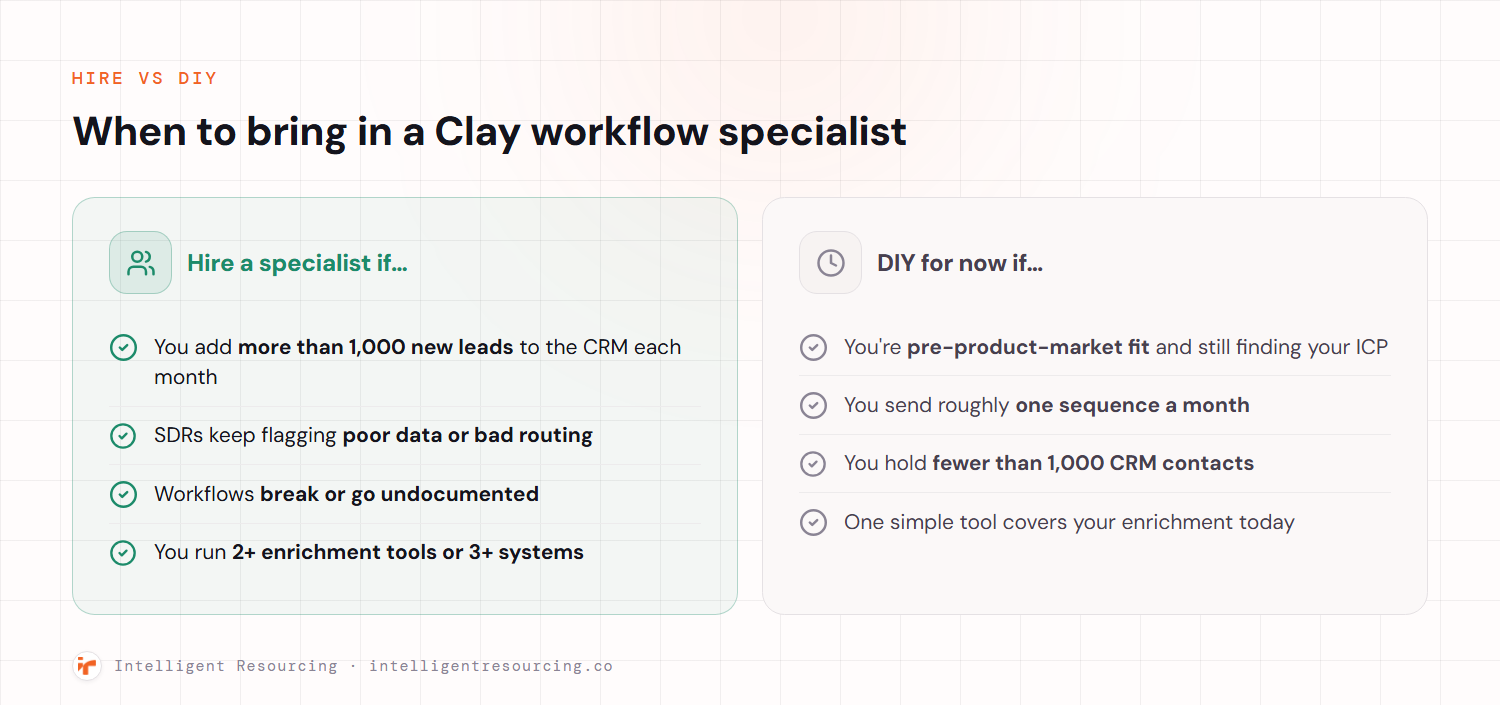
Clear Hiring Signals vs DIY Criteria
Hire if:
- You manage more than 1,000 new leads per month
- SDRs report poor data or routing
- Workflows fail or lack documentation
- You use 2+ enrichment tools or 3+ systems
DIY if:
- You're pre-product market fit
- You run 1 sequence per month
- Your CRM has <1,000 contacts
Before you decide, read this Clay workflow how-to guide to understand what building your own entails.
To fast-track the process, consider booking a workflow audit.
Common Pitfalls (and How a Specialist Prevents Them)
Most workflow issues are preventable but only with the right visibility and habits.
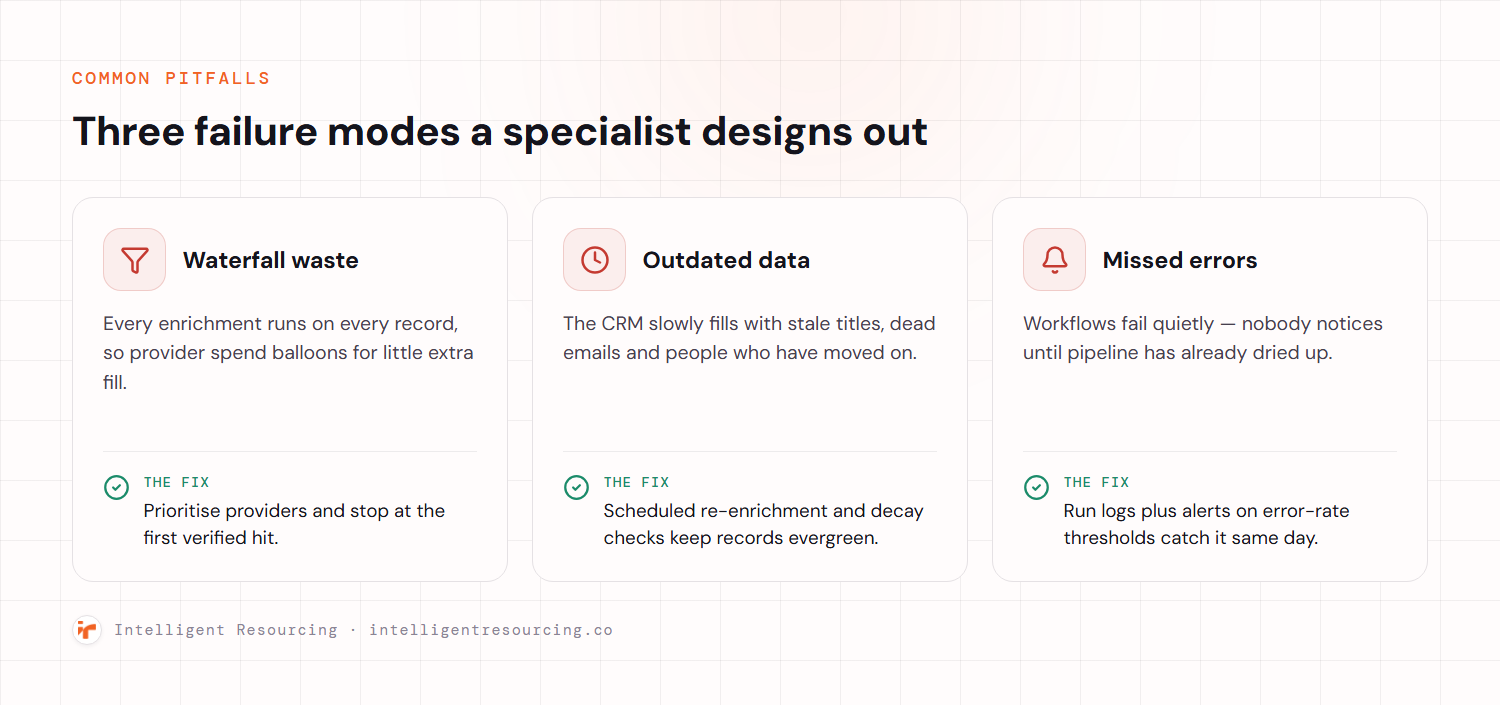
Waterfall Waste
Stacking too many enrichments without prioritisation leads to:
- API overages
- Slow run times
- Redundant data
Clay specialists prioritise inputs and use fallback logic to prevent bloat.
Outdated Data
Without periodic audits, your CRM fills with stale or expired contacts. Specialists implement verification loops and timestamp logic.
Missed Errors
When errors don't raise alerts, campaigns suffer. Observability and QA loops ensure workflow failures are caught early.
Glossary of Workflow & CRM Concepts
- Waterfall: Ordered sequence of enrichment tools applied to a lead.
- Verification: Process of validating fields like email or domain.
- Deduplication: Identifying and merging duplicate records.
- Sampling: Random checks to test workflow accuracy.
- Evergreen CRM: A database that remains clean, current, and complete over time.
Related Guides & Next Steps
Explore further with these resources:
Clay Workflows
Start with a 30-minute audit. Get a custom sampling plan, your current waterfall map, and Evergreen CRM policy templates. The fastest way to go from broken workflows to clean, scalable outbound.